How to Learn Python for Beginners
If you have ever thought about learning to code but felt overwhelmed and did not know where to begin, Python is the perfect place to start. And 2026 is honestly the best time to do it.
It is the language behind some of the biggest technologies ( top-tech-trends-2026 )in the world right now artificial intelligence, data science, automation, web development, and machine learning. ChatGPT, Google Gemini, and Claude are all built on Python foundations. Netflix uses it for recommendations. Google uses it. NASA uses it. Instagram’s backend runs largely on Python. And here is the best part: Python is genuinely one of the easiest programming languages a complete beginner can learn.
Its code reads almost like plain English. You don’t need a computer science degree. You do not need any prior coding experience. You just need a little time, consistency, and the right guide. This is that guide. Let us start from the very beginning.!
Why Learn Python in 2026?
Before we get into the how, let us quickly talk about the why because understanding why Python matters will keep you motivated when things get challenging.
Right Now Python Is the Most Popular Language in the World
According to the TIOBE Index and Stack Overflow Developer Survey, Python is the number one most popular programming language in 2026. It has held this position for several years and shows no signs of slowing down.
Python Powers the AI Revolution
Everything happening in AI right now runs on Python. If you want to understand how AI tools work, build your own AI applications, or work in the AI industry Python is your entry point. Learning Python is not just a coding skill. It is your gateway into the most exciting technology movement of this generation.
Python Pays Very Well
Python devs are, pretty much, some of the most demanded professionals in the tech arena right now. In the United States, Python developers earn an average of around $129,000 per year. Even at junior and entry levels, Python skills open doors to well-paying remote jobs around the world — including from Pakistan, India, and other countries with strong tech talent.
Python Works Everywhere
Web development, data science, automation, machine learning, finance, biology, game development, cybersecurity Python shows up everywhere. Whatever field you want to work in, there is a Python application for it.
Is Python Hard to Learn for Beginners?
No. Python is consistently ranked as the easiest programming language for beginners to pick up.
Here is why Python is so beginner-friendly:
- Readable syntax — Python code looks almost like plain English sentences
- Less complicated structure — You do not need to worry about complex rules that other languages require
- Instant feedback — You can write a few lines of code and see results immediately
- Massive community — Millions of learners and developers online ready to help
- Free learning resources — Hundreds of high-quality free courses, tutorials, and books
Most beginners can write basic working Python programs within their first week of learning. Getting to an intermediate level typically takes two to four months of consistent daily practice.
How Long Does It Take to Learn Python?
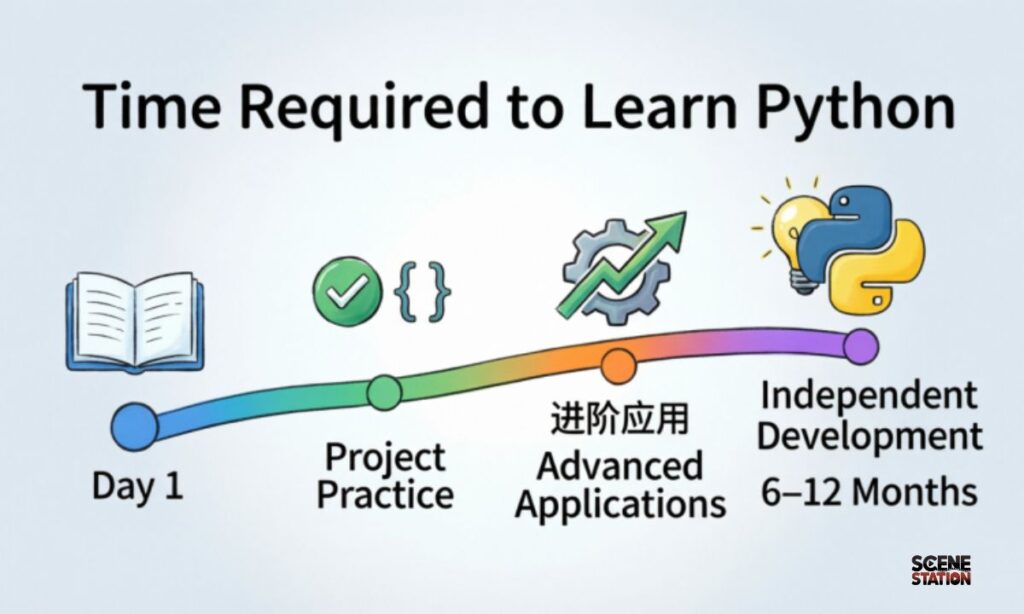
This depends on your goal:
| Goal | Time Needed |
| Basic Python — variables, loops, functions | 2 to 6 weeks |
| Intermediate Python — file handling, APIs, libraries | 2 to 4 months |
| Job-ready in data science or web dev | 4 to 8 months |
| Advanced Python — AI, machine learning, automation | 8 to 12 months |
The key is consistency. Even 30 to 60 minutes of daily practice will get you further than occasional marathon study sessions.
What Do You Need Before You Start?
Nothing special. Here is your starting checklist:
- A computer — Windows, Mac, or Linux all work fine
- Internet connection — for free resources and tutorials
- Python installed — completely free from python.org
- A code editor — VS Code is free and beginner-friendly
- Curiosity and patience — the most important ingredients
That is it. No paid courses required to get started. No special hardware. No prior experience needed.
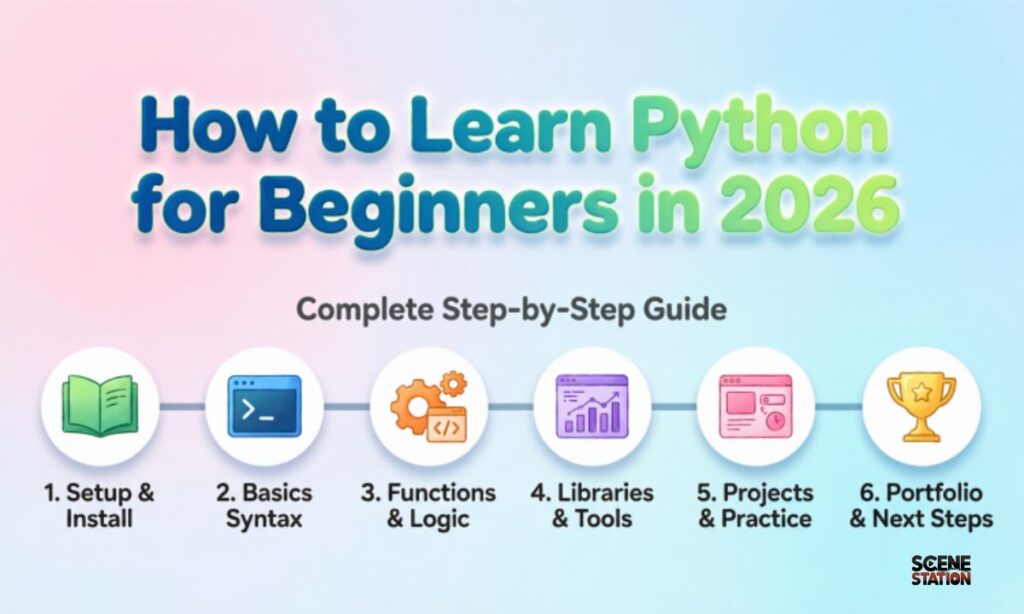
Step-by-Step Roadmap: How to Learn Python in 2026
Here is a clear, month-by-month plan that takes you from zero to confident Python developer.
Month 1 and 2: Python Fundamentals
This is your foundation. Everything else you learn will build on these basics. Take your time here — do not rush.
What to learn in Month 1 and 2:
Variables and Data Types Variables are how Python stores information. Data types tell Python what kind of information it is — a number, a word, a list, and so on.
python
name = “Sarah”
age = 25
height = 5.6
is_student = True
Strings are text in Python. You will use them constantly.
python
greeting = “Hello, World!”
print(greeting)
print(len(greeting)) # prints the length
print(greeting.upper()) # prints in capitals
Lists and Dictionaries Lists store multiple items. Dictionaries store key-value pairs like a real dictionary.
python
fruits = [“apple”, “banana”, “mango”]
person = {“name”: “Sara”, “age”: 22, “city”: “Lahore”}
Loops Loops let you repeat actions without writing the same code over and over.
python
for fruit in fruits:
print(fruit)
Conditionals Conditionals let your program make decisions.
python
age = 18
if age >= 18:
print(“You can vote”)
else:
print(“Too young to vote”)
Functions Functions are reusable blocks of code you can call whenever you need them.
python
def greet(name):
return “Hello, ” + name + “!”
print(greet(“Ayesha”))
Month 3: Intermediate Python
Once you are comfortable with the basics, move into intermediate concepts.
What to learn in Month 3:
- File handling — reading and writing files
- Error handling — dealing with mistakes in your code gracefully
- Modules and imports — using Python’s built-in libraries
- List comprehensions — a cleaner, faster way to work with lists
- Working with APIs — fetching real data from the internet
By the end of month 3, you should be able to write programs that do real things — read data from a file, connect to an API, and process information automatically.
Month 4: Choose Your Path
This is where Python learning becomes really exciting — because you choose the direction that fits your goals.
Path 1: Data Science and Analytics Learn libraries like Pandas, NumPy, and Matplotlib. Work with datasets, analyze trends, and create visualizations.
Path 2: Web Development Learn Django or Flask — two popular Python web frameworks. Build real websites and web applications.
Path 3: Automation Learn how to automate boring repetitive tasks — filling forms, sending emails, organizing files, scraping websites.
Path 4: AI and Machine Learning Learn libraries like Scikit-learn, TensorFlow, and PyTorch. Build your own machine learning models.
Pick one path and go deep. Trying to learn all four at once will slow you down significantly.
Months 5 and 6: Build Real Projects
This is the most important phase of your learning. Reading tutorials and watching videos only takes you so far. Real learning happens when you build things.
Project ideas for beginners:
- A simple calculator
- A to-do list app
- A weather app that fetches real data from an API
- A web scraper that collects prices from a shopping site
- A simple quiz game
Project ideas for intermediate learners:
- A personal finance tracker
- A blog website using Flask or Django
- An automated email sender
- A data dashboard that visualizes real data
- A simple chatbot
When you build projects, you will make mistakes. You will get stuck. You will have to search for solutions. This is exactly how real developers learn — and it will teach you more than any tutorial ever could.
Months 7 and 8: Portfolio and Job Readiness
At this stage, focus on making your skills visible to potential employers or clients.
- Create your GitHub profile and upload your projects.
- Write a simple LinkedIn profile highlighting your Python skills
- Contribute to beginner-friendly open source projects
- Start applying for junior roles, internships, or freelance projects
- Practice common Python interview questions
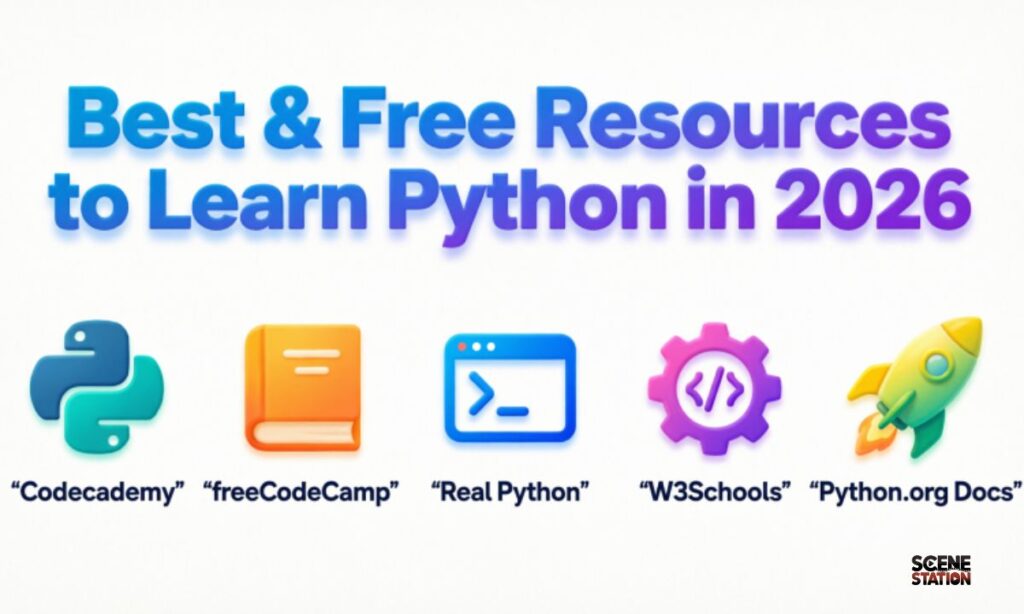
Best & Free Resources to Learn Python in 2026
You do not need to spend money to learn Python well. Here are the best free resources are available right now:
Free Websites and Platforms
Python.org Official Tutorial The official Python documentation has a beginner-friendly tutorial. It is dry but accurate and always up to date. Website: python.org/doc
freeCodeCamp freeCodeCamp offers a completely free Python course on YouTube that is comprehensive and beginner-friendly. Their YouTube channel also has project-based Python tutorials covering data science, automation, and more.
W3Schools Python Tutorial One of the most beginner-friendly Python references online. Great for looking up syntax quickly and practicing small exercises. Website: w3schools.com/python
Real Python Real Python has hundreds of free tutorials covering everything from basics to advanced topics. Their articles are well-written and practical. Website: realpython.com
Automate the Boring Stuff with Python This is one of the most popular free Python books ever written. It is available completely free online and focuses on practical automation projects that beginners can actually build. Website: automatetheboringstuff.com
Free Courses
Python for Everybody — Coursera Created by Dr. Chuck Severance from the University of Michigan. You can audit this course completely free and it is outstanding for structured learning.
CS50P — Harvard’s Python Course Harvard offers a free Python course through edX called CS50P. It is rigorous but excellent and gives you a Harvard certificate if you complete it.
Google’s Python Class Google has a free Python class on their developers platform. It includes written lessons, lecture videos, and coding exercises.
YouTube Channels
- freeCodeCamp — long, complete Python courses for beginners
- Corey Schafer — one of the best Python teachers on YouTube, very clear explanations
- Tech With Tim — beginner-friendly projects and tutorials
- Sentdex — excellent for data science and machine learning with Python
Best Paid Courses (If You Want Structured Learning)
If you prefer a structured, guided experience with projects and certificates:
| Course | Platform | Price |
| 100 Days of Code Python Bootcamp | Udemy | Around $15 on sale |
| Python for Data Science and AI | Coursera | Monthly subscription |
| Complete Python Developer | Zero to Mastery | Monthly subscription |
| DataCamp Python Track | DataCamp | Monthly subscription |
Wait for Udemy sales — courses regularly go on sale for 80 to 90 percent off.
Common Beginner Mistakes to Avoid
Learning from other mistakes saves you a lot of frustration. Here are the most common mistakes Python beginners make:
1. Watching tutorials without coding along Passive watching feels productive but is not. Always type the code yourself as you follow along — even if you are copying exactly what the instructor types. Your hands need to learn too.
2. Trying to memorize everything Professional developers search for syntax constantly. You don’t need to memorize everything. Focus on understanding concepts and knowing how to look things up.
3. Moving on before understanding the basics If loops or functions feel confusing, stop and practice them with small exercises before moving forward. A shaky foundation makes everything harder later.
4. Not building projects Tutorials teach you concepts. Projects teach you to work like a developer. Start building simple projects as early as possible even in your first month.
5. Giving up too early Every beginner hits a wall at some point where things suddenly feel too hard. This is completely normal. Push through it. The confusion always clears up with a little more practice and time.
6. Trying to learn multiple languages at once Focus on Python only until you are genuinely comfortable. Adding JavaScript or another language too early will just confuse you.
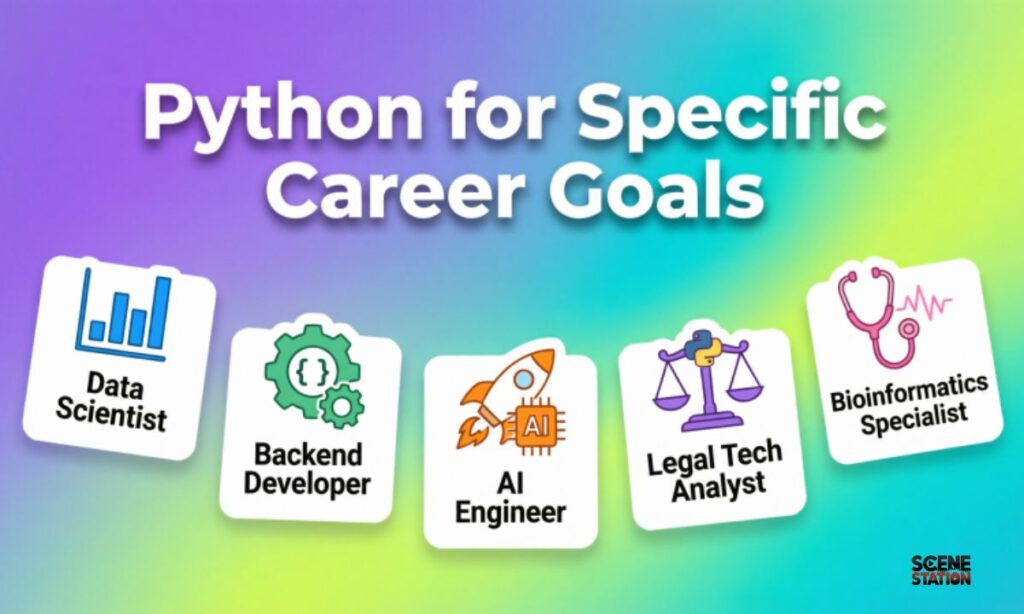
Python for Specific Career Goals
Python for Data Science
Focus on: Pandas, NumPy, Matplotlib, Seaborn, Jupyter Notebooks Career outcome: Data analyst, data scientist, business intelligence analyst
Python for Web Development
Focus on: Django, Flask, REST APIs, HTML basics, databases Career outcome: Backend developer, full-stack developer, web developer
Python for AI and Machine Learning
Focus on: Scikit-learn, TensorFlow, PyTorch, Keras, data preprocessing Career outcome: ML engineer, AI developer, research scientist
Python for Automation
Focus on: Selenium, BeautifulSoup, schedule, smtplib, openpyxl Career outcome: Automation engineer, QA engineer, DevOps engineer
Python for Freelancing
Focus on: Web scraping, automation scripts, data analysis, API integrations Career outcome: Freelance Python developer — work from anywhere
How to Practice Python Every Day
Consistent practice is the secret to actually learning Python. Here are practical ways to practice daily even when you are busy:
Solve one coding challenge per day Platforms like LeetCode, HackerRank, and Codewars have beginner-friendly Python challenges. Just one per day adds up fast.
Rewrite tutorials from memory – After watching a tutorial, close it and try to write the same code from memory. This reveals exactly what you understood and what you did not.
Keep a learning journal – Write down one new thing you learned each day in simple words. Teaching yourself what you learned reinforces it deeply.
Join a Python community – Reddit’s r/learnpython, Discord Python servers, and local coding groups are full of supportive beginners and experienced developers who love helping.
Set a small daily goal. Even – 20 minutes of focused practice every single day is better than five hours once a week. Consistency beats intensity every time.
Frequently Asked Questions
Can I learn Python without any math background?
Yes. Basic Python programming requires very little math — just simple arithmetic. Even data science and machine learning concepts can be learned step by step without advanced math knowledge as a starting requirement.
Can I get a job with just Python knowledge?
Python alone can open doors to junior developer roles, data analyst positions, and automation jobs. Combining Python with a specific specialization like data science or web development makes you significantly more employable.
How much does it cost to learn Python?
You can learn Python completely for free using the resources listed in this guide. Paid courses are optional and mainly useful if you prefer structured, guided learning with community support.
Is Python good for freelancing?
Absolutely. Python is one of the best languages for freelancing. Web scraping, automation scripts, data analysis, and API integration are all in high demand on platforms like Fiverr and Upwork.
What is the best age to start learning Python?
Any age. Python is being taught to children as young as 10 and learned by career changers in their 50s. There is no age requirement for learning to code.
Visit Our Other Posts About Tech
How to Do Blogger Outreach in 2026 – Complete Step-by-Step Guide
best-ai-tools-2026 – The Only List You Need to Bookmark Right Now
Best Money Making Apps 2026 – 10 Legit Apps That Actually Pay Real Cash
Top Tech Trends 2026 – The Biggest Technology Changes Happening Right Now
Final Thoughts
Here is the honest truth about learning Python in 2026. The hardest part is not the language itself — it is starting. Most people read guides like this one, feel inspired, and then wait for the “perfect moment” to begin.
The perfect moment is right now.
Install Python. Open VS Code. Write your first print statement. Make it say hello world. It will take you five minutes. And those five minutes will be the start of something that could genuinely change your career, your income, and your opportunities.
Python is one of the most learnable, most useful, and most in-demand skills you can build in 2026. The resources are free. The community is massive and welcoming. The opportunities are real.
All that is missing is you showing up and starting.
Quick Reference: Your Python Learning Roadmap
| Month | Focus | Goal |
| 1-2 | Python Fundamentals | Variables, loops, functions, lists |
| 3 | Intermediate Python | Files, APIs, error handling |
| 4 | Choose Your Path | Data science, web dev, AI, or automation |
| 5-6 | Build Projects | 3 to 5 real projects in your chosen area |
| 7-8 | Portfolio and Jobs | GitHub, LinkedIn, applications |
Are you just starting your Python journey or already learning? Drop a comment below and share where you are. We would love to cheer you on!

Ash Williom has spent years writing puns, wordplay, and internet slang guides for Scenestations.com, with a habit of testing every joke on real friends and family before it makes the list. When not chasing down the perfect one-liner, Ash is usually knee-deep in group chats collecting new material or digging into how internet slang actually spreads across platforms.